Why a 50 Etsy Listings Video Mockup Bundle Can Transform Your Shop
If you sell digital products, printables, or creative assets on Etsy, you already know that standing out in search results is half the battle. But even if you nail your keywords and product descriptions, the single most important factor in convincing a browser to click "Add to Cart" is often the visual presentation—specifically, your listing images and videos. That is where a 50 Etsy Listings Video Mockup Bundle becomes more than just a nice addition; it becomes a strategic asset. This article will walk you through exactly what this type of bundle is, why video mockups matter so much for modern Etsy shops, and how you can use them to increase engagement, build trust, and ultimately drive more sales.
What Is an Etsy Listings Video Mockup Bundle?
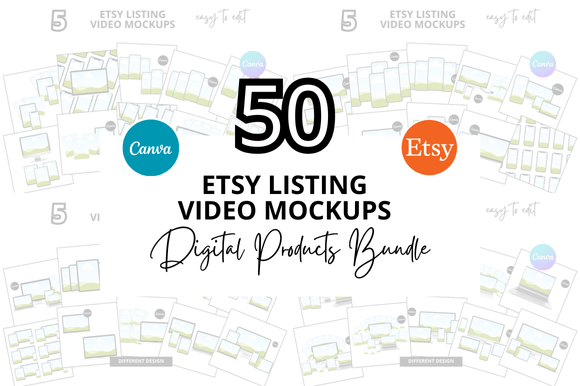
At its simplest, a video mockup bundle is a collection of pre-designed video templates that allow you to showcase your product inside a realistic or stylized context. Instead of filming yourself holding a print or demonstrating a digital file from scratch, you drop your design into a template that already includes motion, lighting, and a lifelike setting. A 50 Etsy Listings Video Mockup Bundle gives you fifty different scenes or formats—often ranging from flat-lay displays to handheld device screens, wall frames, or desk setups.
These bundles are typically provided in formats compatible with tools like Photoshop, Canva, or specialized mockup software, and they often include smart object layers for quick swapping. The key is that you do not need to be a video editor or motion designer to produce high-quality listing videos. The bundle does the heavy lifting, and you simply insert your design.
Common Types of Mockups You Might Find in a Bundle
- Device mockups: Smartphones, tablets, or laptops displaying your digital art, planner pages, or templates.
- Wall art frames: Videos of framed prints in various rooms—living rooms, bedrooms, or offices—with natural lighting and subtle movement.
- Flat-lay scenes: Overhead shots of your product alongside props like stationery, plants, or coffee cups, often with gentle panning or zoom effects.
- Hands-on demonstrations: Clips showing a hand flipping through a planner, holding a card, or unboxing a product.
- Social media mockups: Videos that simulate an Instagram feed or a digital screen recording, useful for planners, courses, or digital asset bundles.
Why Video Mockups Matter for Your Etsy Shop in 2025
Etsy's algorithm increasingly rewards listings that include video content. Shops that use listing videos tend to see higher click-through rates, longer time on page, and better conversion rates. But beyond the algorithm, there is a very human reason video works: it builds confidence. A static image shows what your product looks like, but a video shows what it feels like to use it. That emotional connection is often what turns a casual viewer into a buyer.
Moreover, the modern buyer has been trained to expect a certain level of polish. If your listings only feature flat PNGs on a white background, you risk looking amateurish compared to competitors who show their designs in beautifully styled environments. A 50 Etsy Listings Video Mockup Bundle bridges that gap without requiring you to hire a videographer or rent a studio.
Practical Benefits for Different Types of Sellers
- Digital product sellers: Show a customer exactly how your printable planner, budget tracker, or coloring book looks once printed and in use.
- Graphic designers and template creators: Demonstrate the full functionality of a Canva template or a resume package with a smooth screen-record mockup.
- Physical product sellers: Even if you sell tangible items like T-shirts or mugs, video mockups of a model wearing or holding your product provide social proof and context.
How a Bundle of 50 Mockups Saves Time and Money
Creating one high-quality video mockup from scratch can take hours—shooting footage, editing, adjusting lighting, and exporting. Doing that for fifty listings is simply impractical for most solo sellers or small teams. A bundle gives you a ready-made library you can pull from whenever you add a new product. The upfront cost is often a fraction of what you would pay for custom video work or a subscription to a stock video service.
Additionally, consistency matters for branding. When all your listing videos share a similar aesthetic—similar color palettes, pacing, and framing—your shop looks cohesive and professional. A well-designed bundle helps you achieve that consistency without forcing every video to look identical. You can mix and match scenes while maintaining a unified visual language.
What to Look for in a Quality Bundle
- Resolution and format: Ensure the video files are high-definition (at least 1080p) and compatible with Etsy's upload requirements (MP4 is standard).
- Ease of customization: Look for templates that use smart objects or simple drag-and-drop layers. The faster you can swap your design, the better.
- Scene variety: A bundle with fifty different scenes should cover a range of contexts—not just fifty variations of the same desk shot. Variety keeps your shop from feeling repetitive.
- License terms: Check that the license allows commercial use on Etsy and other marketplaces. Most reputable bundles include a standard commercial license, but it is worth verifying.
- Included tutorials: Especially if you are new to video editing, a bundle that comes with step-by-step instructions or video walkthroughs can save you a lot of frustration.
Common Misunderstandings About Video Mockups
One myth is that using a pre-made mockup is "cheating" or that it will make your shop look generic. The truth is that the market expects a certain level of visual quality, and using templates is simply a smart workflow. The final look still depends on your design, your choice of scene, and how you customize lighting or colors within the template. A bundle is a tool, not a crutch. It is how you use it that matters.
Another misunderstanding is that you need expensive software to use video mockups. While some bundles are designed for Adobe After Effects or Photoshop, many modern bundles are built for Canva or even PowerPoint, making them accessible to sellers with minimal technical skill. Always check the software requirements before buying, but do not assume a bundle is beyond your reach.
Finally, some sellers worry that video mockups will not look "authentic" enough. In reality, the best bundles include subtle imperfections—natural shadows, slight camera movement, and realistic lighting—that make the scene feel genuine. A well-made video mockup often looks more authentic than a hastily filmed phone video.
Practical Tips for Using Your Video Mockup Bundle Effectively
Once you have your bundle, the next step is integrating it into your workflow. Here are actionable strategies to get the most out of your fifty mockups:
- Batch your editing: Set aside a few hours to customize multiple mockups at once. Open each template, drop in your design, adjust colors if needed, and export. This is far more efficient than editing one video per day.
- Match mockups to your brand: If your shop has a distinct color palette or vibe (e.g., minimal, boho, vintage), choose scenes that align. Do not use a neon-lit tech mockup for a rustic wall art listing.
- Use mockups for social proof: Beyond your Etsy listings, repurpose these videos for Instagram Reels, Pinterest pins, or TikTok. A consistent visual style across platforms strengthens brand recognition.
- Test different scenes: If a particular listing is not converting, try swapping the video mockup for a different scene. Sometimes a change of context—from a desk setup to a hands-on demo—makes all the difference.
- Keep backups: Store your customized video files in a cloud folder or external drive. If you ever need to re-upload or update a listing, you will save time.
Example: Taking a Printable Planner from Still Image to Video
Imagine you sell a daily planner printable. Your current listing shows a static image of the cover and one interior page. With your 50 Etsy Listings Video Mockup Bundle, you choose a flat-lay scene that shows the planner open on a wooden desk, with a coffee cup and pen nearby. The video slowly pans across the weekly spread, showing the layout and dotted grid. A second clip from the bundle shows a hand flipping through the pages, giving the buyer a sense of the paper thickness and binding. Suddenly, the buyer can visualize themselves using the planner. That mental imagery is a powerful motivator.
How Video Mockups Fit Into a Broader Etsy SEO Strategy
While video mockups primarily improve visual appeal, they also support your SEO indirectly. Etsy's search algorithm considers user engagement signals—click-through rate, time on listing, and conversion rate. A compelling video increases the likelihood that a shopper will watch for several seconds, which signals relevance to Etsy. Over time, listings with strong engagement can rank higher for relevant keywords.
It is also worth mentioning that video mockups help reduce returns and negative reviews. When a buyer sees exactly what they are getting—including scale, color, and context—they are less likely to be disappointed. Fewer returns and happier customers lead to better shop reviews, which in turn boosts your search visibility.
Final Thoughts: Is a 50 Etsy Listings Video Mockup Bundle Right for You?
If you have more than a handful of listings and you want to elevate your shop's professional appearance without a massive time investment, the answer is almost certainly yes. The key is to choose a high-quality bundle that offers real variety and ease of use. Do not treat the bundle as a magic bullet—treat it as a foundation. Combine it with strong product photos, well-written descriptions, and smart keyword research, and your shop will be set up for sustainable growth.
Remember: the ultimate goal is to make it as easy as possible for a buyer to say yes. A video mockup that shows your product in a desirable, realistic setting removes uncertainty and builds desire. That is the kind of marketing you cannot fake—and with a 50 Etsy Listings Video Mockup Bundle, you do not have to.