20 KDP Etsy Listings Mockup: Choose, Edit, and Apply with Confidence
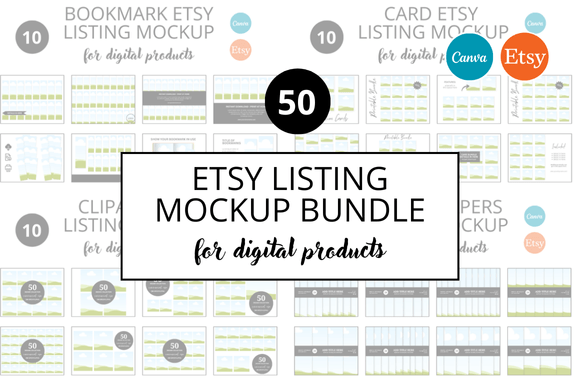
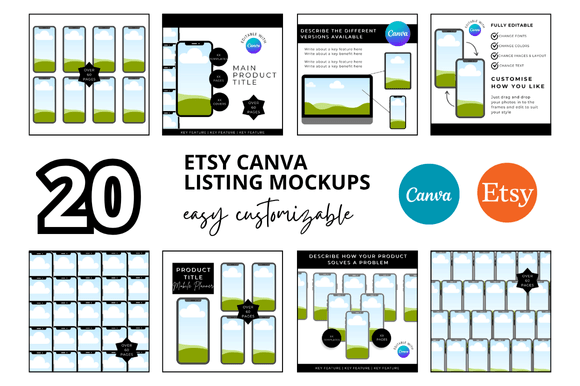
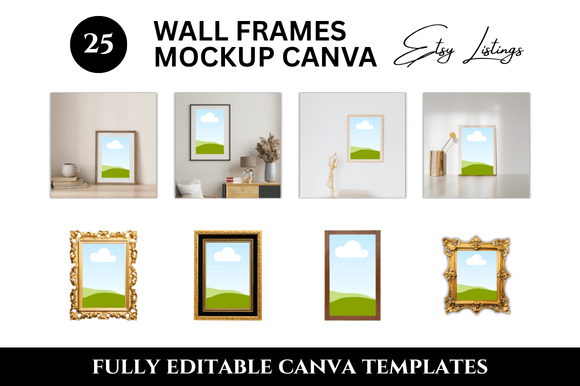
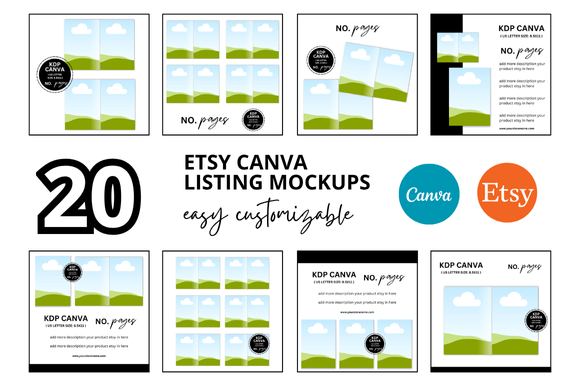
If you sell books on Amazon KDP, digital products on Etsy, or physical merchandise that needs a polished product preview, a 20 KDP Etsy Listings Mockup set can save hours of design work. These bundles typically include twenty pre-staged mockup scenes—like books on a rustic table, journals in a clean studio, or prints in a frame—ready for you to drop your own cover art or product image into a smart object. The appeal is obvious: professional-looking listings without hiring a photographer or learning complex 3D software.
But buying or using one of these sets isn’t as simple as “paste and publish.” Many sellers rush into it and end up with distorted images, inconsistent branding, or listings that look static and uninviting. This article walks through the most common mistakes people make with a 20 KDP Etsy Listings Mockup and, more importantly, how to avoid them so your products actually get noticed.
Mistake #1 – Choosing Mockups Without Checking Format Compatibility
Mockup bundles come in various file types—PSD (Photoshop), Canva templates, or flattened JPEG/PNG overlays. The first error is picking a set that doesn’t match your editing skill or software.
What goes wrong: You buy a PSD-only set but don’t own Photoshop, or you try to use a Canva template that locks you into a specific aspect ratio, so your 6x9 book cover gets squashed into a square frame.
Better approach: Before purchasing, check the product description for compatible software and required knowledge. If you’re a beginner, look for 20 KDP Etsy Listings Mockup sets that include both layered PSD files and user-friendly Canva versions. Also verify that the mockups support your product’s exact dimensions—most well-made sets allow you to resize smart objects, but some are fixed.
Mistake #2 – Forgetting to Customize Beyond the Cover
A common misunderstanding is that a mockup is a one-click solution. You drop in your cover, export the image, and you’re done. But the best listings feel authentic, and a generic mockup with untouched background elements can look fake.
Real-world example: A seller of motivational journals uses the same wooden desk mockup for every single notebook. The background never changes, and the lighting stays identical. Customers start scrolling past because every listing looks like a copy-paste job.
What to do instead: Treat the mockup as a starting point. Adjust the saturation, add a subtle shadow, or change the background color to match your brand palette. Many 20 KDP Etsy Listings Mockup sets include multiple scenes—use all of them for different angles, and rotate which ones appear in your main images, thumbnails, and inside the listing. Small tweaks like repositioning the book or adding a prop plant can make the image feel original.
Mistake #3 – Ignoring Brand Consistency Across Listings
While variety is good, chaos is not. Another mistake is using mockups from different creators that clash in style—one has a dark, moody look, another is bright and airy. This confuses visitors who see your shop as disorganized.
How it hurts: Etsy and Amazon shoppers judge professionalism within seconds. If your first listing uses a clean white background and the next uses a grainy wood texture, your brand identity feels weak.
Solution: Stick to one 20 KDP Etsy Listings Mockup bundle per shop section or product line. If the set offers multiple scene variants, they are usually designed to be cohesive (same palette, similar lighting, consistent props). Use them exclusively for that product category. For a new line, consider a different bundle, but keep the overall aesthetic aligned with your brand guidelines—fonts, colors, and tone.
Mistake #4 – Overlooking Licensing and Commercial Use Rights
One of the most overlooked details is the fine print on how you may use the mockups. Many bundles are sold for personal or small-batch use, but if you plan to sell thousands of copies on KDP or scale your Etsy shop, you need a commercial license.
The consequence: You could later face a DMCA takedown or receive a cease-and-desist if the mockup creator finds your bestseller using their work without proper licensing. Even worse, some mockup files include hidden watermarks that only disappear when you purchase an extended license.
Check before you buy: Look for the seller’s licensing policy. Reputable creators clearly state “commercial use allowed” or “for POD and print-on-demand.” If the description is vague, message them. Also note whether the license covers digital use only or also physical merchandise. A good 20 KDP Etsy Listings Mockup set will include a summary of what you can and cannot do.
Mistake #5 – Using Low-Resolution Mockups or Wrong Color Spaces
High resolution matters, especially for KDP where Amazon can display book covers in large previews. Some mockup sets are compressed to reduce file size, resulting in pixelation when you zoom in or print the image.
Example: You upload a product image derived from a 1200px-wide mockup. On a desktop monitor, it looks okay, but on a Retina screen, the edges are soft and the text is unreadable. Shoppers lose trust because the listing appears low-effort.
Better practice: Choose mockups that are at least 3000px on the longest side. For Etsy, 1500px is often sufficient, but larger gives you flexibility. Also ensure the mockup uses the sRGB color profile—many default to Adobe RGB, which looks dull on browsers. When you edit, export as PNG (not JPEG) to preserve quality. Preview the final images on different devices before uploading.
Mistake #6 – Not Preparing Original Artwork Properly for Smart Objects
Most 20 KDP Etsy Listings Mockup sets use smart objects—layers where you double-click to paste your design. The mistake is pasting a low-resolution thumbnail or a file with visible white borders.
What happens: The mockup scales your art, and any imperfections become obvious. A blurred edge or a slightly mismatched color stands out against the mockup’s lighting.
Workflow tip: Create a dedicated file holder for your cover art. Use the same dimensions as your finished product (e.g., 6x9 inches at 300 DPI). If you are placing a KDP book cover, make sure the front cover does not include the spine or back unless the mockup requires a full wrap. Then, when you open the smart object, your design fits perfectly without stretching. Save the layer as a separate file so you can reuse it across multiple mockup scenes.
Mistake #7 – Ignoring How the Mockup Will Be Read on Mobile
Shoppers on Etsy and Amazon browse heavily on mobile devices. A mockup that looks stunning on a 27-inch monitor might turn into a tiny, cluttered thumbnail on a phone screen.
Common error: A mockup with intricate detail (wicker basket, dozens of books, small props) becomes noise when shrunk. The product itself gets lost.
Correction: When selecting a 20 KDP Etsy Listings Mockup set, evaluate each scene at thumbnail size (around 400px). If you cannot instantly tell what the product is, consider a simpler composition. Also pay attention to the mockup’s main focal area—the book or product should be large and centered. Avoid scenes where the product is pushed to the side or covered by shadows.
Mistake #8 – Overcomplicating with Too Many Mockups
Having twenty mockups can be a blessing or a curse. Some sellers feel compelled to use every single scene in one listing, causing information overload.
The downside: Potential buyers see 20 nearly identical images and cannot decide which one matters. Worse, you might upload duplicate perspectives that don’t add value (e.g., five close-ups of the same corner).
Smarter selection: Pick three to five strong images per listing: one hero shot (front cover, clear lighting), one lifestyle scene (showing use or context), one scale shot (showing how it looks in a hand), and one detail close-up if needed. Rotate the remaining mockups for other products. The 20 KDP Etsy Listings Mockup set is a toolkit, not a mandatory checklist. Choose variety that serves the customer’s desire to evaluate the product quickly.
Mistake #9 – Forgetting to Update Mockups as Trends Change
Styles in product photography evolve. A mockup set you bought two years ago might now feature outdated props (old smartphones, dated fonts on notebook covers, faded backgrounds). Using it can accidentally signal that your product is also outdated.
Better practice: Periodically review your Etsy and KDP listings. Replace any mockup that looks noticeably different from current trends (clean, minimalist, or warm lifestyle are common now). Use the 20 KDP Etsy Listings Mockup bundle as a starting point, but consider buying fresh ones every 12–18 months, or swap specific scenes with newer ones from other bundles.
What to Check Before You Commit to a Mockup Set
Before you download or purchase, run through this quick list:
- File format: Does it match your workflow? (PSD, Canva, Affinity?)
- Dimensions: Are they large enough for your platform’s recommended sizes?
- License: Can you use it commercially for unlimited products?
- Variety: Does the set include different angles and contexts?
- Ease of use: Are smart objects labeled and easy to edit?
- Customer support: Does the seller respond to questions about customization?
- Reviews: Do buyers mention issues with distortion or ghosting?
Taking a few minutes to vet a 20 KDP Etsy Listings Mockup bundle before buying will save you from wasted time and poor-looking listings. Remember that a mockup is a tool, not a substitute for good product design. It amplifies your work when used thoughtfully. Avoid the common errors of mismatched formats, untouched defaults, inconsistent branding, and licensing ignorance. With careful selection and a bit of customizing, those twenty mockup scenes can become the foundation of a professional, trustworthy shop that converts browsers into buyers.