Etsy Shop Mockup Template: A Practical Evaluation for Sellers
Setting up or redesigning an Etsy shop involves more than uploading product photos and writing descriptions. The visual presentation of your storefront—the banner, shop icon, listing thumbnails, and overall layout—plays a significant role in whether a browser stops to explore or clicks away. An Etsy Shop Mockup Template is a pre-designed layout that allows you to visualize how your shop will look to customers before you commit to a final design. But is investing time in a mockup template the right move for your situation? This article evaluates what these templates offer, where they fall short, and how to decide if one aligns with your goals.
What Is an Etsy Shop Mockup Template?
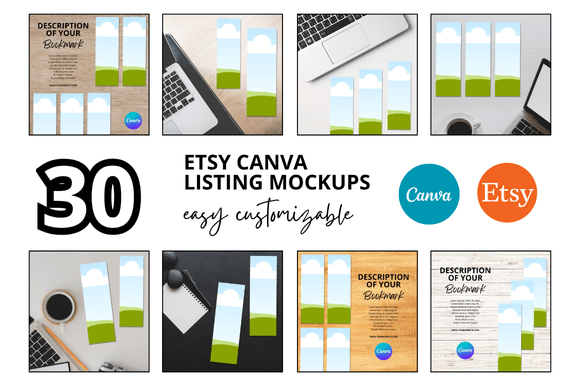
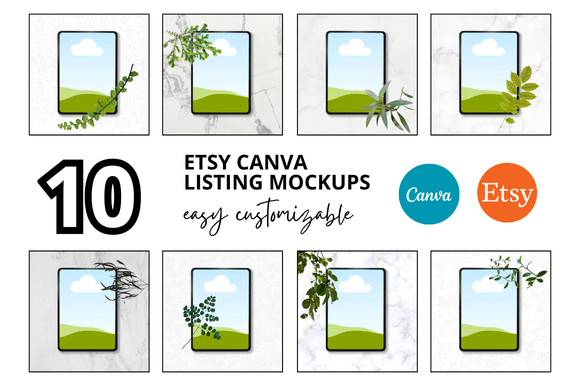
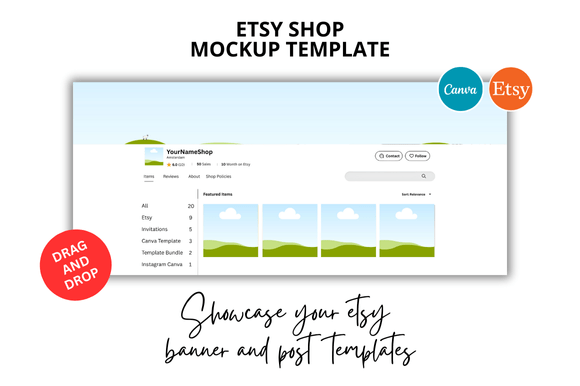
An Etsy Shop Mockup Template is a digital file—often created with graphic design software such as Canva, Adobe Photoshop, or Illustrator—that simulates the appearance of a live Etsy shop. These templates typically include placeholders for your shop banner, shop icon, featured listings, and sometimes even product photos arranged in a grid. The idea is to give you a realistic preview of how your branding elements will work together in the context of the Etsy interface.
Some templates are static images that you overlay your own graphics onto, while others are editable files where you can drag and drop your assets into designated areas. They are not actual shop themes; Etsy does not allow custom CSS or HTML modifications to shop layouts. Instead, mockup templates serve as planning tools that help you refine your visual identity before you make changes to your live shop.
Why Sellers Consider Using a Mockup Template
There are several situations where a seller might look for a mockup template. If you are launching a new shop, you may feel uncertain about which banner size works best or how your logo will sit alongside your product imagery. If you are rebranding an existing shop, a mockup lets you test a new color palette or typography choice without making permanent changes first. For sellers who are not confident in design, a template provides a structured starting point that reduces the risk of a disjointed or unprofessional appearance.
Another common motivation is time. Building a cohesive shop visual from scratch requires knowledge of Etsy's image specifications, an understanding of composition, and often several rounds of trial and error. A well-designed template streamlines that process by offering a proven layout that you can adapt with your own content.
Benefits of Using an Etsy Shop Mockup Template
The most immediate benefit is clarity. When you place your banner, icon, and listing images into a mockup, you see exactly how they relate to each other. This can reveal problems that are hard to spot when editing elements in isolation. For instance, a banner that looks great on its own might clash with your product thumbnails once placed side by side. A mockup catches these issues early.
Consistency is another advantage. Many templates are designed with a particular aesthetic or niche in mind—such as minimalist, vintage, or modern—and include guidelines for font pairings, color schemes, and image treatments. Following these guidelines helps ensure that your shop feels intentional rather than haphazard. For buyers, a cohesive shop appearance signals professionalism and attention to detail, which can influence purchasing decisions.
Mockup templates also reduce the learning curve for design software. If you are using a template in Canva, for example, you may not need to know advanced design principles. You simply replace the placeholder images and text with your own. This lowers the barrier for sellers who want a polished look without investing hours in design tutorials.
Tradeoffs and Limitations to Consider
Despite their usefulness, mockup templates come with tradeoffs. The most significant is that they do not reflect the dynamic nature of a real Etsy shop. A mockup shows a static arrangement of items, but your live shop will change as you add new products, run promotions, or update sections. The mockup is a snapshot, not a simulation of how your shop will evolve over time.
Another limitation is that templates are not adaptive to different screen sizes. Etsy shops are viewed on desktops, tablets, and phones, and the layout changes across devices. A mockup typically shows only one view—usually a desktop layout—so you may not see how your banner gets cropped on mobile or how your icon looks in a smaller format. To address this, you need to test your final assets on actual devices or use Etsy's preview tools.
There is also the risk of over-reliance. A template can guide your design, but it should not replace thoughtful branding. If you choose a template that does not reflect your products or your target audience, your shop may look generic or mismatched. The best mockup templates are those that you adapt meaningfully, not those you use as a shortcut to avoid making branding decisions.
Finally, many templates are created by third-party sellers and vary widely in quality. Some include incorrect dimensions, low-resolution graphics, or overly complex layers that are difficult to edit. It is worth reviewing templates carefully, reading reviews, and checking that the file format is compatible with your software before purchasing.
When an Etsy Shop Mockup Template Is a Strong Fit
If you are new to selling on Etsy and feel unsure about how to present your shop visually, a mockup template can be a helpful training tool. It gives you a concrete example of what a finished shop looks like and helps you understand the relationship between different design elements. For sellers who are launching a small number of products and want a clean, professional look quickly, a template can save significant time.
Mockup templates are also a good fit for sellers who are redesigning an existing shop but want to test a new direction before committing. You can create two or three mockups with different color schemes or layouts and compare them side by side. This allows you to make an informed choice without repeatedly updating your live shop and potentially confusing your customers.
If you are a seller who enjoys working within a structured framework—someone who prefers a clear set of guidelines over a blank canvas—a template will likely feel like a natural tool. It provides constraints that can actually boost creativity by removing the paralysis of unlimited options.
When Alternatives May Be Worth Considering
If you have a strong sense of your brand identity and know how to execute it, you may find templates limiting. Your vision may not fit neatly into a pre-made layout, and forcing it could result in a shop that feels compromised. In that case, designing from scratch or hiring a professional designer might serve you better.
For sellers with a large inventory or a highly specialized niche, a template may not capture the unique way you want to display your products. If your shop relies on custom categorization, detailed listing images, or a specific storytelling approach, a generic mockup might not reflect those nuances. In these situations, investing time in a custom design that accounts for your specific product mix is likely more effective.
Another alternative is using Etsy's own preview and editing tools. Etsy allows you to upload your banner and icon and see how they look in your shop before saving changes. This approach is free, does not require additional software, and shows you the actual live layout rather than a simulated one. For sellers who only need to check basic alignment, this may be sufficient.
Finally, if your budget is very limited, you can find free resources such as Canva templates specifically sized for Etsy, community forums where sellers share design advice, or even YouTube tutorials that walk you through the process step by step. These options do not provide the convenience of a ready-made mockup, but they can help you achieve a similar outcome at no cost.
Practical Decision-Making Insights
To decide whether an Etsy Shop Mockup Template is right for you, start by clarifying your primary goal. If your aim is to learn how your design elements work together and to reduce the risk of a disjointed shop, a template is a practical tool. If your aim is to create a highly distinctive and customized storefront that stands out in a crowded market, you may need to go beyond what a template can offer.
Consider also your design skills and the time you are willing to invest. If you are comfortable with design software and have a clear vision, you may not need a template. If you are less confident or simply want to avoid the trial-and-error phase, a template can accelerate your progress.
It is also wise to test a template with your actual content before committing to it fully. Place your banner and a few product images into the mockup and evaluate the result honestly. Does it feel like your shop? Does it represent your products accurately? If the answer is no, look for a different template or consider an alternative approach.
Remember that the ultimate test of your shop design is how it performs with real customers. A mockup can give you confidence and direction, but it is not a guarantee of sales. Use it as one part of your overall shop preparation, alongside thoughtful product photography, clear descriptions, and strategic pricing.
Final Thoughts on Etsy Shop Mockup Templates
An Etsy Shop Mockup Template is a practical resource that can help sellers plan, visualize, and refine their shop design before going live or making changes. It offers clarity, consistency, and a lower barrier to entry for those who are not design experts. However, it is not a substitute for understanding your brand, testing across devices, or making deliberate choices about how you present your products.
For sellers who are new to Etsy or those who want a structured approach to shop design, a mockup template can be a worthwhile investment. For sellers with a strong brand vision, a large inventory, or a need for complete creative control, other approaches may serve you better. By weighing the benefits and limitations against your specific situation, you can decide whether a template aligns with your goals or whether you would be better served by a different path.